
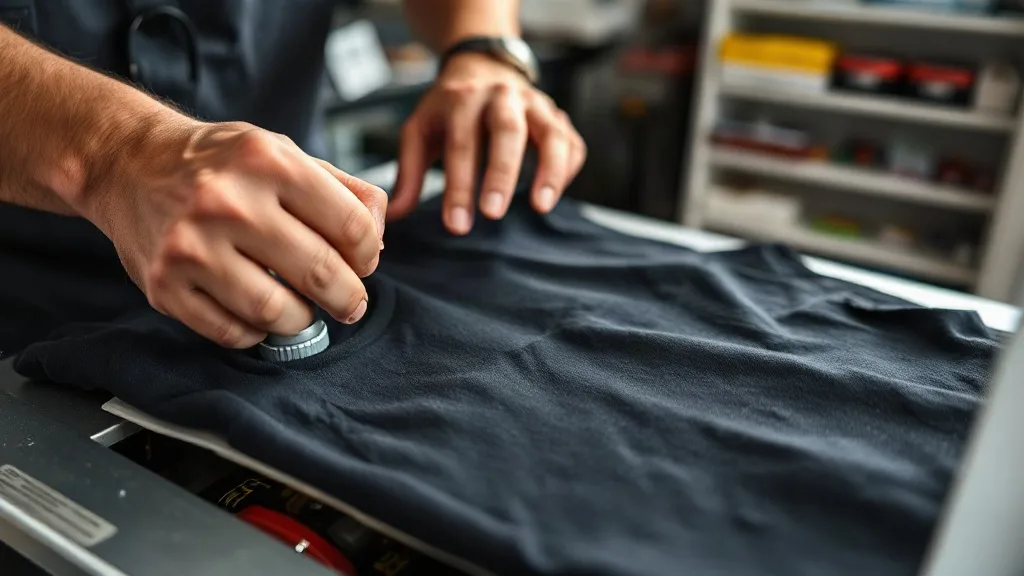
You've spent hours perfecting your artwork, printing on high-quality film, and applying powder evenly. The dtf transfers look great coming off the printer. Then you press them onto a shirt, and something goes wrong: the edges lift, the print feels rubbery, or the colors look washed out. The culprit is often the heat press, not the transfer itself. In this guide, we'll walk through the most common pressing mistakes that even experienced operators make and show you how to troubleshoot them step by step.
Why Pressing Is the Make-or-Break Step for DTF
DTF transfers rely on a thermoplastic adhesive powder that melts and bonds to the fabric under heat and pressure. Unlike vinyl or screen print, the bond is created entirely during the press cycle. If the temperature, pressure, or timing is off, the adhesive won't flow properly, leading to poor adhesion, incomplete curing, or a stiff hand feel. Understanding the mechanics helps you diagnose issues quickly.
Common Pressing Mistakes and How to Fix Them
1. Insufficient Pressure
One of the most frequent problems is not enough pressure. DTF powder needs firm, even pressure to penetrate the fabric fibers and create a mechanical bond. If your press feels spongy or you can see the transfer not fully contacting the fabric, increase the pressure. A good test: press a transfer, then immediately peel the carrier film while hot. If the print comes off with the film, pressure is likely too low. Aim for medium to firm pressure, around 40-60 PSI on a pneumatic press, or adjust your manual press until you feel solid resistance.
2. Wrong Temperature Settings
Temperature directly affects how the powder melts. Too low, and the adhesive won't activate; too high, and you risk scorching the fabric or causing the powder to over-cure and become brittle. Most DTF powders activate between 300°F and 330°F (150°C-165°C). However, the actual temperature at the platen may differ from the display. Use an infrared thermometer to verify. Also, remember that thicker fabrics or multiple layers may require slightly longer dwell times rather than higher heat.
3. Inconsistent Time and Technique
Pressing time is often overlooked. A common recommendation is 10-15 seconds at 320°F with medium pressure. But if you're pressing a large design, you may need to increase time to ensure even bonding. Also, avoid double-pressing the same transfer, as this can cause the adhesive to over-cure. Use a timer and stick to a consistent routine. For heat-sensitive fabrics like polyester, lower the temperature to 300°F and extend the time to 15-20 seconds.
4. Ignoring Fabric Type and Preparation
Not all fabrics behave the same. Cotton requires higher heat and pressure, while polyester needs lower heat to avoid dye migration. Pre-press the garment for 5-10 seconds to remove moisture and wrinkles. Moisture is a silent killer: it creates steam during pressing, which prevents proper adhesion. Also, consider using a Teflon sheet or parchment paper to protect the transfer and prevent sticking.
5. Peeling at the Wrong Time
DTF transfers can be peeled hot or cold, but the method affects the finish. Hot peel (immediately after pressing) yields a slightly glossier, softer hand, while cold peel (waiting until completely cool) gives a more matte finish and better durability. However, if you peel too early while the adhesive is still molten, you might distort the print. Experiment to find what works best for your workflow, but be consistent.
Diagnosing Specific Problems
Edges Lifting After Wash
If the edges of your transfer lift after washing, it's usually due to insufficient pressure at the edges or incomplete powder application. Ensure your press applies even pressure across the entire platen. Also, check that the powder is evenly distributed before curing; any bare spots will not adhere.
Print Feels Stiff or Rubbery
A stiff hand feel often indicates over-curing. Reduce temperature or time, and ensure you're not pressing the transfer twice. Also, some powders have a softer hand than others; if stiffness is a recurring issue, try a finer powder grade.
Colors Look Dull or Faded
Dull colors can result from insufficient heat, which prevents the ink from fully transferring, or from pressing on a fabric that causes dye migration (common with polyester). Use a lower temperature and a dye-blocking underlay, or consider a poly-specific transfer.
Preventing Mistakes with a Checklist
Before each pressing session, run through this quick checklist:
- Verify press temperature with an infrared thermometer.
- Pre-press the garment to remove moisture.
- Ensure even pressure across the platen.
- Set a timer for consistent dwell time.
- Check powder coverage before curing.
- Test peel method on a scrap piece.
Following a checklist reduces variability and helps you catch issues before they become costly mistakes.
When to Consider Professional Help
If you've tried troubleshooting and still struggle, consider reaching out to your dtf supplier or a local print shop for advice. Sometimes the issue lies in the transfer itself, such as inconsistent powder application or film quality. If you're looking for reliable dtf transfers near me, sourcing from a reputable supplier can eliminate many variables.
Frequently Asked Questions
Why do my DTF transfers peel off after washing?
Peeling usually indicates insufficient pressure, incorrect temperature, or incomplete powder curing. Ensure you're pressing at the right settings for your fabric and that the powder is fully melted. Also, wait 24 hours before washing.
Can I use a home iron for DTF transfers?
While possible, a home iron doesn't provide consistent pressure or temperature, leading to unreliable results. A heat press is strongly recommended for professional-quality transfers.
How do I know if my press is applying enough pressure?
Use a pressure gauge if available, or perform a test: press a transfer and check if the pattern is evenly transferred. If edges are faint, increase pressure.
What's the best temperature for DTF on polyester?
For polyester, use a lower temperature around 300°F (150°C) to prevent dye migration and scorching. Increase dwell time to 15-20 seconds.
Do I need to pre-press the garment?
Yes, pre-pressing removes moisture and wrinkles, ensuring better adhesion and a smoother finish.